Design plant-filled rooms with true-to-scale AR.
Capture your space, preview curated plants, and build confident layouts before you ever visit the nursery.
True-to-scale AR
Place life-size plants that respect light and space.
Plant ID + library
Take a plant photo, identify it, and save it for later experiments.
Care insights
View watering, humidity, and placement tips.
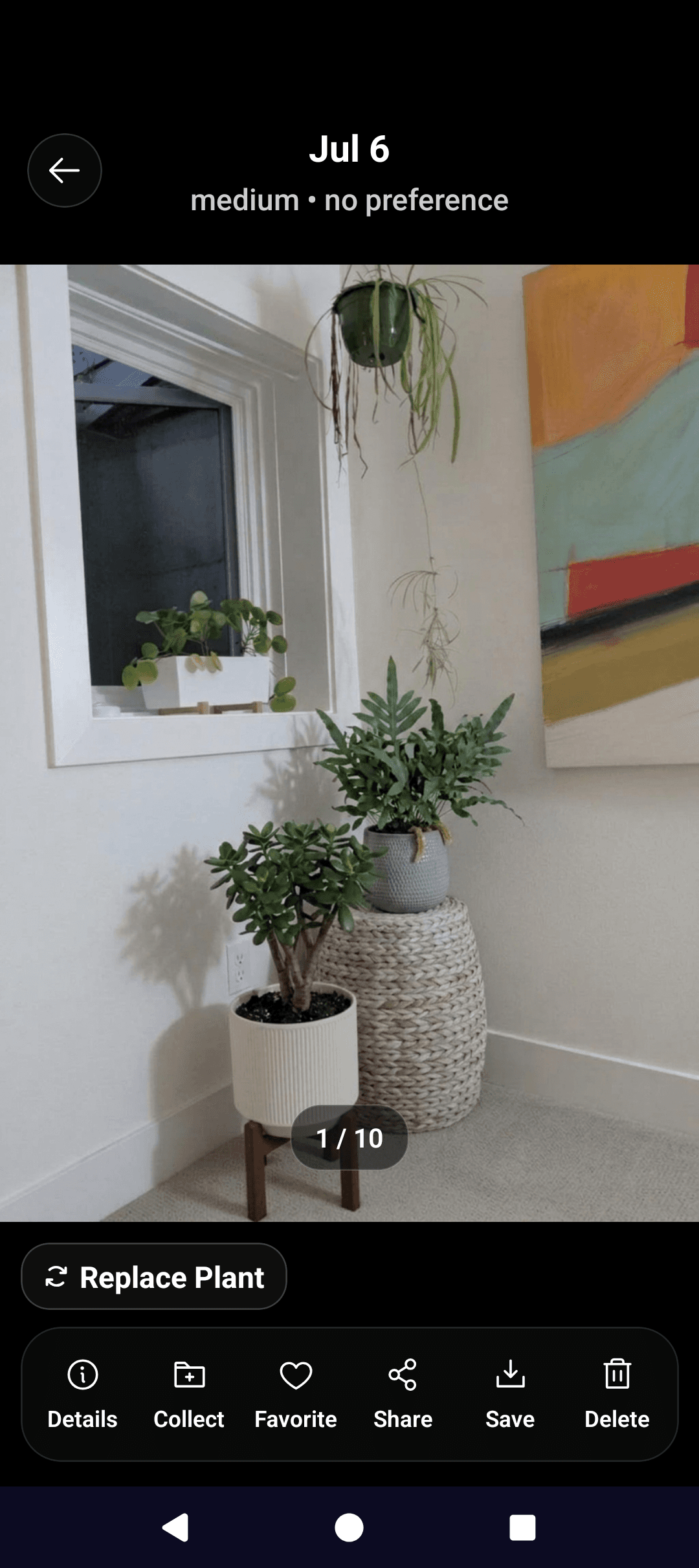
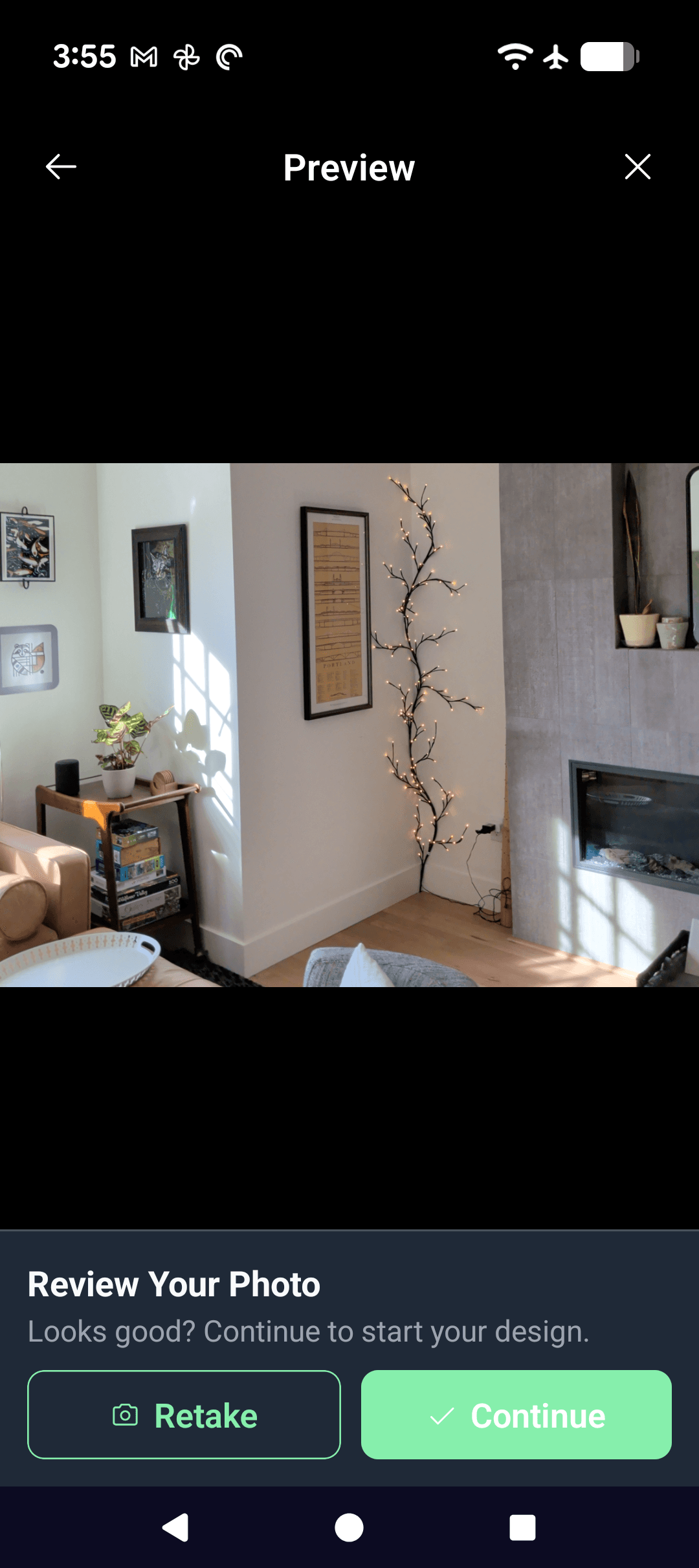
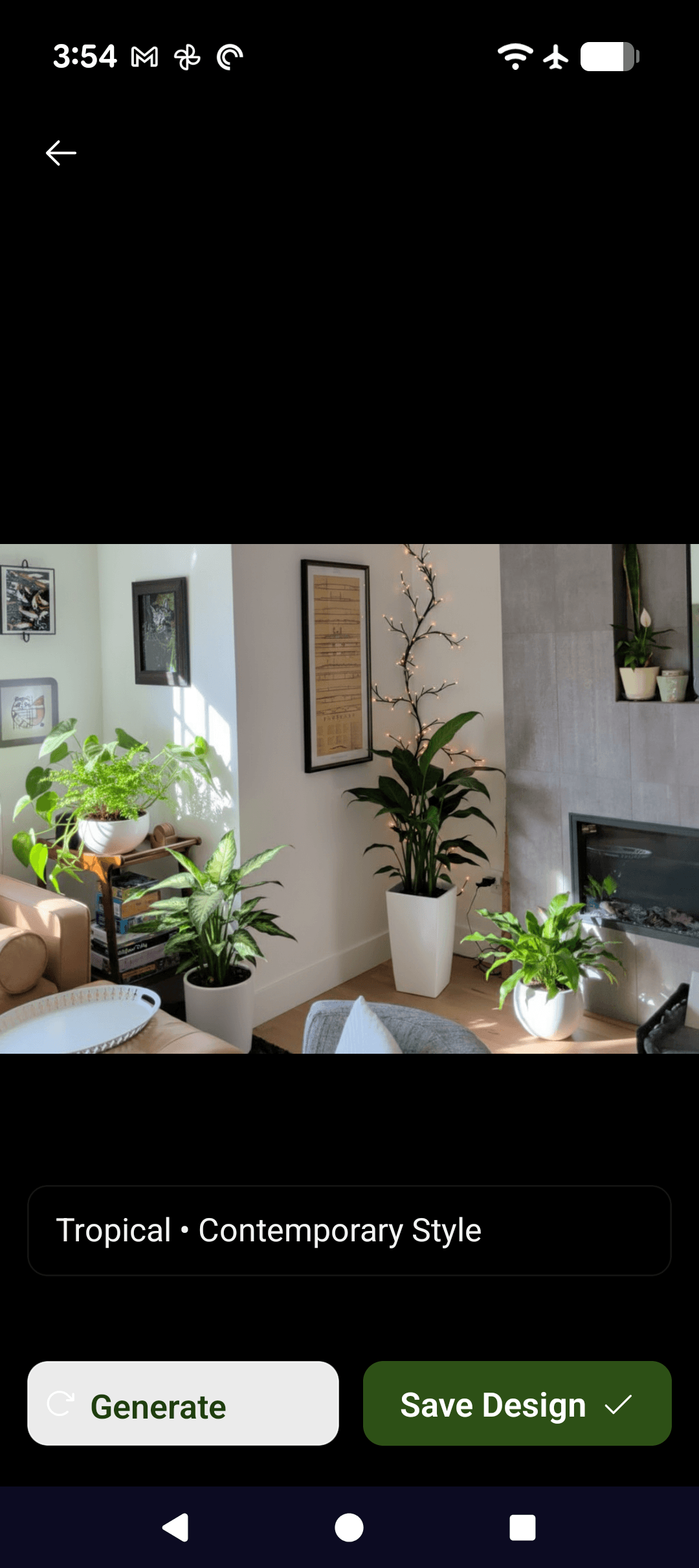
Design flow
Organize, start design, and select plants.
Available for iOS and Android.
Organize
Manage your space collection and saved plant library.
ID plants
Take a photo of a plant, identify it, and save it for later.
Start design
Choose your room canvas, design style, and plants to experiment with.
Before and after
Watch a room transform instantly.
Compare before and after views to quickly see how a room changes when plants are added.
A proper web app for every Planterior customer.
Customers can sign in, browse their generated designs, open image details, and manage their account from a polished workspace that feels native to the brand.
Your saved renders
Open every generated room, compare before and after, and revisit favorites in one place.
Secure account access
Firebase-authenticated sessions keep each library scoped to the signed-in customer.
Features
What Planterior helps you do
Planterior is designed to help you plan indoor plants with confidence.
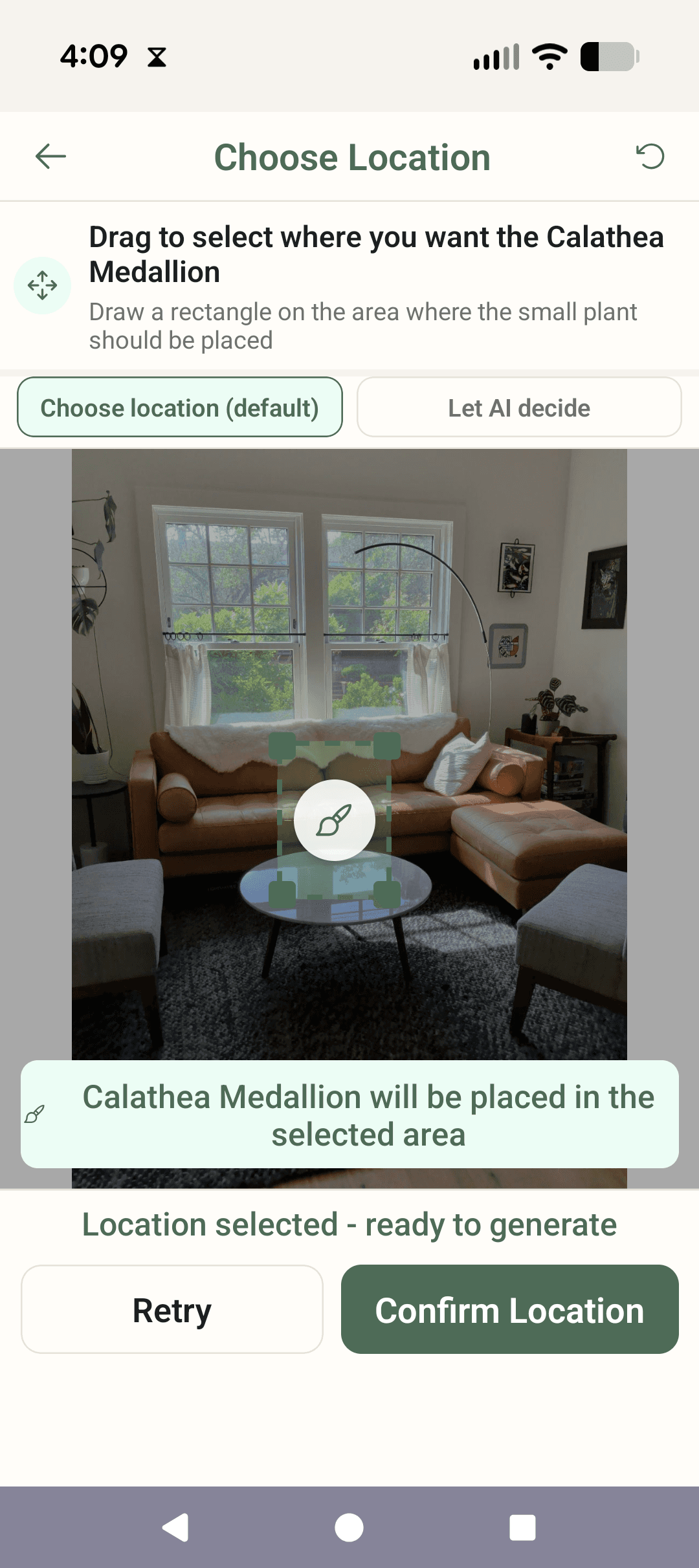
AR preview
See plants in your space with AR
Preview plants directly in your room so you can understand scale and placement before you buy.
02
Compare before and after views
Use side-by-side visuals to quickly see how a room changes when plants are added.
03
Explore and pick specific plants
Browse available plants and place the one you want to test in your current space design.
04
Identify plants and save them to your library
Take a photo of a plant, identify it, and keep it in your library for future room experiments.
05
Get practical care guidance
Review built-in care details while planning so your choices fit your environment and routine.
06
Organize your plant collection
Keep your saved rooms and plant options in one place so planning and revisiting ideas is easier.